
X10 home automation has been powering smart home systems for over four decades, and even though newer competitors entering the market, it remains a practical choice for homeowners looking to automate lighting, appliances, and security devices. Unlike some modern smart home platforms that require a stable internet connection and cloud infrastructure, X10 operates on a simpler principle: sending digital signals over existing electrical wiring. For DIYers who want straightforward control without ongoing subscription fees or complex setup, X10 offers a hands-on alternative that’s worth understanding. This guide breaks down what X10 is, how it works, and whether it fits your home automation goals in 2026.
Key Takeaways
- X10 home automation transmits digital commands through existing electrical wiring, eliminating the need for Wi-Fi, cloud infrastructure, or complex setup—making it ideal for DIYers seeking straightforward control without subscription fees.
- X10 systems cost significantly less than modern smart home platforms, with starter kits priced at $30–$80 compared to $200–$500+ for competitors, while offering plug-and-play installation without rewiring or app configuration.
- X10 excels at practical automation tasks like lighting control, appliance scheduling, and motion-triggered security scenes, but struggles with electrical noise interference and lacks integration with voice assistants like Alexa or Google Home.
- The X10 protocol uses power line communication to send commands via house codes (A–P) and unit codes (1–16), creating 256 unique addressable combinations that work reliably even when internet or Wi-Fi connectivity is unavailable.
- Choose X10 if you prioritize simplicity and independence from internet connectivity; choose modern alternatives like Alexa or Zigbee if you need ecosystem integration, voice control, or complex conditional automation.
- X10 remains a functional legacy technology for straightforward tasks, but fewer manufacturers are developing new products compared to a decade ago, making it less suitable for homeowners seeking cutting-edge smart home features.
What Is X10 Technology and How Does It Work?
X10 is a protocol that transmits digital commands through your home’s standard electrical wiring. Imagine your house’s power lines as a two-way communication network: X10 devices modulate low-voltage signals onto the 120-volt AC line, allowing them to send and receive instructions without requiring separate wiring.
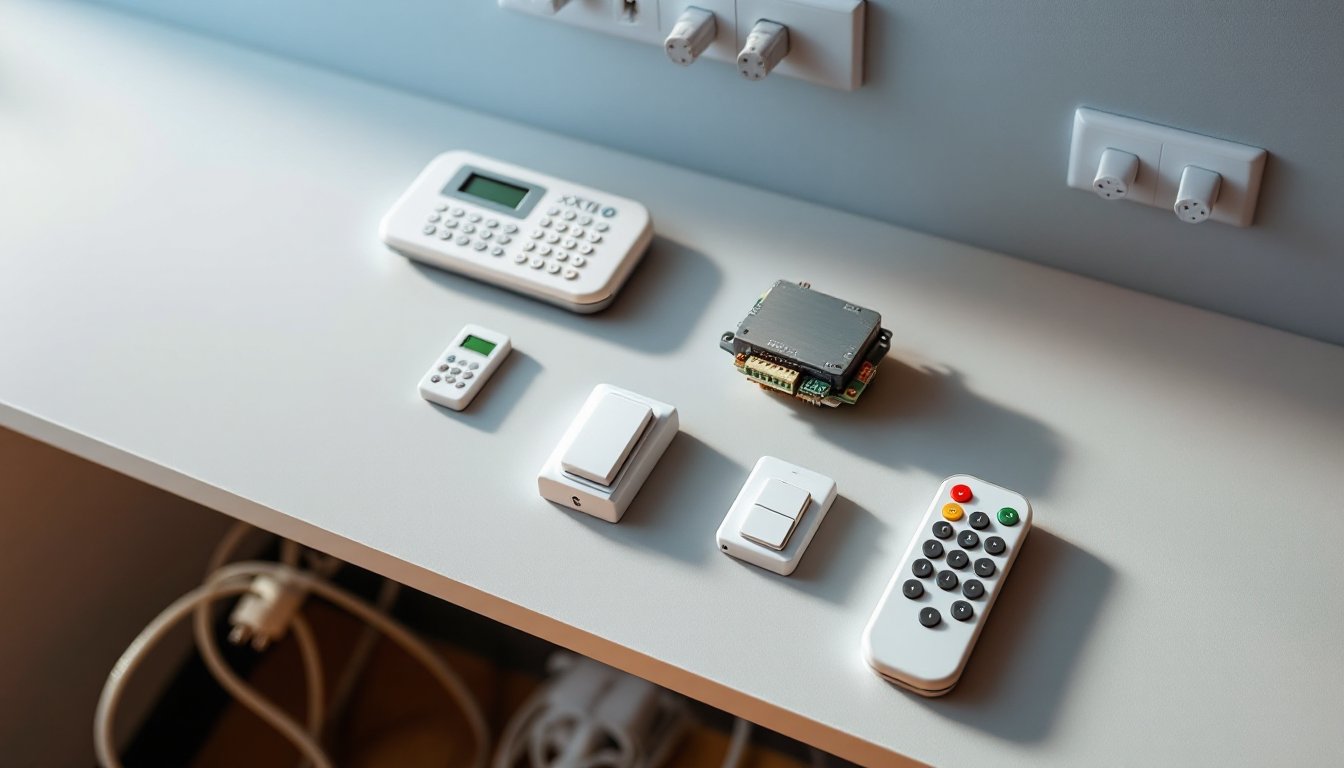
At the core of any X10 system sits a controller, typically a keypad, wireless remote, or computer interface. When you press a button, the controller sends a signal, usually an address and command (like “turn on” or “dim”), onto the power line. Any X10-compatible device plugged into any outlet in your home can receive that signal and act on it. No Wi-Fi router, no cloud server, no latency issues waiting for a response from thousands of miles away.
The protocol uses power line communication (PLC), which operates at 120 kHz and sends data in bursts synchronized to the 60 Hz AC cycle. This method dates back to the 1970s, which is both its strength and limitation: it’s proven and resilient, but also slower and less flexible than modern IP-based systems. Each X10 device is assigned a house code (A through P) and a unit code (1 through 16), creating 256 unique addressable combinations per house code.
One practical note: X10 signals can be disrupted by certain electrical equipment, fluorescent ballasts, switching power supplies, and heavy-duty motors sometimes generate noise that interferes with transmission. This is why modern homes with variable-frequency drives or solar inverters sometimes struggle with X10 reliability. It’s not a showstopper, but it’s worth knowing upfront.
Key Features and Benefits of X10 Systems
Affordability and Ease of Installation
X10’s greatest appeal is cost and simplicity. A basic starter kit, including a controller, a lamp module, and a wall switch module, typically runs $30–$80, compared to $200–$500+ for a contemporary smart home hub plus compatible devices. Because X10 signals travel on your existing power lines, installation requires no rewiring, no wireless mesh network configuration, and no mobile app setup.
To add a new X10 device, a homeowner plugs it in, assigns it an address using a small DIP switch on the device, and tests it with the controller. No pairing codes, no Bluetooth syncing, no Alexa integration needed. For renters or anyone hesitant about complex smart home infrastructure, X10 is remarkably approachable. Many DIYers appreciate this low friction: plug it in, flip a switch, done.
Wireless and Wired Device Compatibility
X10 offers flexibility in how you control your devices. Wired modules install directly in-wall, dimmer switches, relay modules, and load controllers replace standard switches and outlets. These are permanent installations that require turning off the breaker and running the signal through your existing switch boxes. Proper installation demands basic electrical knowledge: understanding how to safely isolate power, identify neutral and hot conductors, and respect building codes. If you’re unfamiliar with this, a licensed electrician is worth the investment for safety.
Wireless modules and remotes are the simpler approach. Plug a lamp module into any outlet, plug your lamp into the module, and control it via wireless remote from anywhere in your home. No installation skills needed. Wireless modules are also more portable: if you move apartments, you take them with you.
Both types coexist in the same system. A homeowner might install a permanent in-wall dimmer for the living room (a 15-minute job with the breaker off) while adding wireless remote-controlled outlets in the bedroom. This hybrid flexibility is a genuine advantage for people who want mixed solutions.
Popular X10 Applications in Modern Homes
X10 excels at specific automation tasks that don’t demand real-time responsiveness or complex conditional logic.
Lighting control remains the bread-and-butter use case. Homeowners install X10 dimmer switches in living rooms, bedrooms, and bathrooms, then control multiple lights from a wireless keypad or handheld remote. Imagine controlling the downstairs lights from your bedside without stumbling down the hall, that’s practical automation. Some people program “scenes”: a single button press that turns on the foyer light at 30%, the living room at 70%, and the kitchen at full brightness. It’s not AI-driven: it’s simple, reliable, and works every time.
Appliance and outlet control is another common application. Plug a coffee maker into an X10 outlet module and schedule it to turn on at 6:00 AM, no smart coffee maker required, just a standard appliance. Water heaters, pool pumps, and holiday light strings are frequent targets. Again, this is straightforward automation: scheduled on/off at preset times.
Security and monitoring use X10 modules to trigger lights when motion sensors detect activity, creating the illusion of occupancy when you’re away. A motion sensor triggers an X10 controller, which turns on lights in random rooms at random intervals. It’s not a surveillance system, but it deters casual break-ins.
Accessibility benefits matter, too. Elderly homeowners or those with mobility limitations can control lights, fans, and outlets without crossing a room or climbing stairs. This is genuine quality-of-life improvement, not a gadget for gadgets’ sake.
X10 vs. Modern Smart Home Alternatives
X10 competes in a landscape dominated by Wi-Fi and Zigbee ecosystems like Amazon Alexa, Google Home, Apple HomeKit, and Samsung SmartThings. Here’s the practical comparison:
Cost: X10 is cheaper upfront. A starter kit costs less than a single smart speaker with compatible bulbs. But, modern alternatives have dropped in price dramatically. A budget Alexa Echo Dot ($30–$50) plus affordable smart bulbs ($15–$25 each) can match or undercut X10 in total system cost if you’re automating more than a few devices.
Ease of use: X10 requires no internet and no app. Press a button, lights turn on. It’s immediate and predictable. Modern systems offer voice control, integration with multiple platforms, and conditional automation (“if the sun sets, dim the lights to 30%”). That flexibility comes at the cost of setup complexity and ongoing connectivity requirements.
Reliability: X10 signals travel on power lines and can be blocked or degraded by electrical noise. Modern Wi-Fi and Zigbee systems depend on router stability, internet uptime, and cloud infrastructure. X10 doesn’t care if your Wi-Fi is down: it still works. Conversely, if your electrical system is noisy, X10 may drop commands. Trade-offs exist.
Ecosystem: X10 is a standalone protocol with limited integration. You can’t ask Alexa to “turn on the X10 lights” unless you layer in a third-party bridge (which adds cost and complexity). Modern platforms are deeply integrated with smart speakers, phones, and services. If your home already runs Alexa or Google, adding compatible devices is seamless.
Longevity and support: X10 hardware is mature and often remains available, but the ecosystem is quieter. Fewer manufacturers are designing X10 products compared to a decade ago. Modern platforms have more active development and larger communities. For new installations, X10 feels like a legacy technology, though a functional one.
Conclusion
X10 home automation isn’t cutting-edge, but it remains a legitimate option for homeowners prioritizing simplicity, low cost, and independence from internet connectivity. It shines for straightforward tasks like dimming lights, scheduling appliances, and triggering security scenes. For those integrating smart home automation with existing voice assistants or building complex conditional automations, modern alternatives offer more flexibility. The best choice depends on your priorities: if you want plug-and-play reliability and minimal setup, X10 delivers. If you want ecosystem breadth and voice control, look elsewhere. Evaluate your actual automation needs, not the hype, and choose accordingly.